
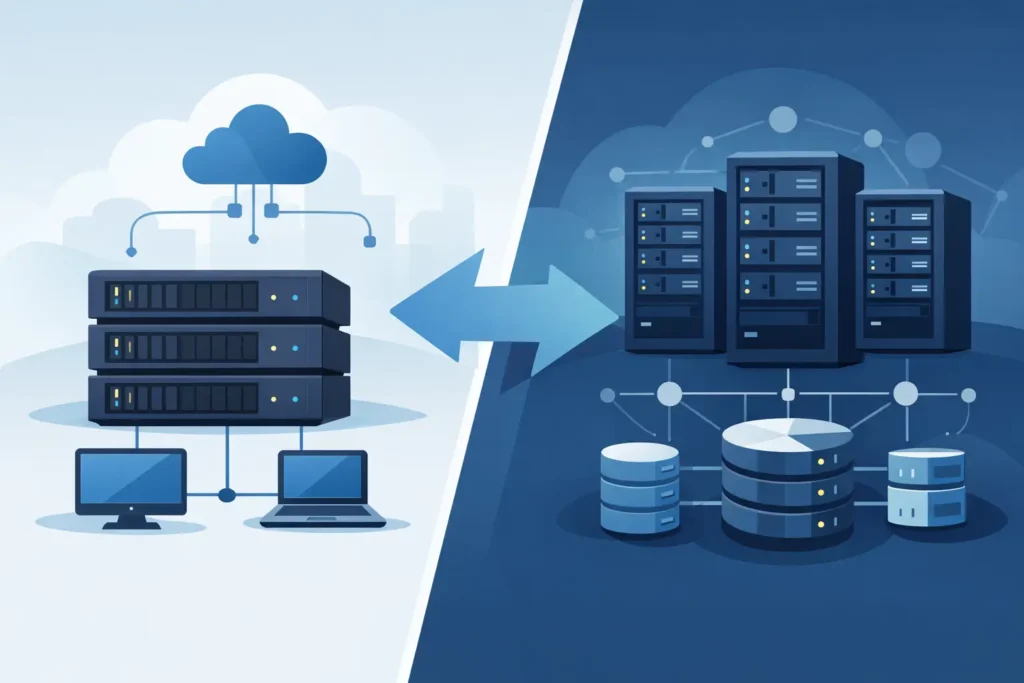
When a business starts dealing with slow file access, growing backup demands, or virtual machines competing for storage performance, the question of nas vs san storage stops being academic. It becomes an infrastructure decision that affects uptime, user experience, security, and future expansion. Choosing the right model is less about which technology is better overall and more about which one fits the way your business operates.
NAS vs SAN storage at a glance
NAS stands for Network Attached Storage. It is a file-level storage system connected to your network, allowing users and applications to access shared files over standard Ethernet. In practical terms, NAS is often the simpler way to centralize documents, media, backups, and shared departmental data.
SAN stands for Storage Area Network. It is a block-level storage architecture designed to present storage volumes to servers as if they were locally attached disks. SAN is commonly used in environments where applications need high performance, low latency, and tightly controlled storage behavior, especially for virtualization, databases, and business-critical workloads.
That difference between file-level and block-level access matters. NAS is usually easier to deploy and manage. SAN is usually better suited to performance-sensitive server environments. Both can be secure, scalable, and reliable when designed properly, but they solve different operational problems.
What NAS is best for
For many small and mid-sized businesses, NAS is the practical starting point. It gives teams a central location for file sharing, backup targets, archive storage, and user access controls without requiring a specialized storage fabric. It is often a good fit for offices that need shared folders, surveillance storage, departmental collaboration, or a straightforward backup repository.
NAS also tends to be more accessible from an administration standpoint. IT teams can usually configure users, shares, quotas, snapshots, and backup jobs through a relatively familiar interface. If the business does not have a dedicated storage specialist, that simplicity has real value.
Another reason businesses choose NAS is cost efficiency. The infrastructure requirements are generally lower because it runs over standard IP networks. That reduces the barrier to entry for organizations that need dependable storage without building a more complex data environment.
Still, NAS is not just an entry-level option. In the right design, enterprise NAS can support large datasets, multi-user collaboration, snapshot protection, replication, and integration with directory services and cloud backup workflows. The limitation is not that NAS is weak. The limitation is that some workloads simply need a different architecture.
What SAN is best for
SAN is typically the better choice when storage performance is directly tied to application availability or transaction speed. If your business runs virtualized servers, ERP platforms, SQL databases, email systems, or other workloads where latency and consistency are critical, SAN deserves serious consideration.
Because SAN presents block storage to servers, it gives operating systems and hypervisors more direct control over how data is written and managed. That makes SAN especially effective in clustered environments and virtualization platforms where multiple workloads demand predictable performance.
SAN also supports high availability designs more naturally in enterprise deployments. Redundant controllers, multipath access, failover, and dedicated storage networking can all contribute to a more resilient platform. For businesses where downtime creates measurable financial or operational impact, that level of control may justify the additional investment.
The trade-off is complexity. SAN usually requires more planning, more specialized configuration, and a clearer understanding of workload behavior. It is not the default choice for every organization, and it should not be purchased simply because it sounds more enterprise-grade.
Performance differences in nas vs san storage
Performance is one of the most common reasons this comparison comes up, but it needs context. SAN often delivers better performance for transactional and server-based workloads because it is built for low-latency block storage access. That matters for virtual machines, database queries, and applications that generate frequent read-write activity.
NAS performance can still be very strong, especially with modern hardware, SSD caching, fast Ethernet, and well-designed network infrastructure. For file sharing, backup, archives, and many business applications, NAS may perform more than adequately. The problem arises when businesses expect file-based storage to behave like dedicated application storage under heavy server loads.
In other words, performance is not just about speed on paper. It is about matching storage behavior to the workload. A well-sized NAS can outperform an underdesigned SAN in real life, and an enterprise SAN can be unnecessary overkill for basic file services.
Cost, management, and scalability
Cost is often where NAS gains an early advantage. It usually requires less specialized hardware, less implementation time, and lower administrative overhead. For organizations watching capital spending closely, NAS can deliver strong value without introducing unnecessary complexity.
SAN generally has a higher upfront cost because the architecture is more specialized. Depending on the design, you may need dedicated switches, host bus adapters, advanced storage controllers, and more involved deployment services. Ongoing management can also require more experienced IT support.
That said, total value should be measured against business risk and workload importance. If poor storage performance affects customer response time, production systems, or staff productivity, the cheaper option may not be the better investment.
Scalability depends on what needs to grow. If your business expects growing file shares, backup volume, or user collaboration data, NAS can scale effectively. If you expect growth in virtual servers, databases, and performance-sensitive application workloads, SAN may provide a stronger long-term foundation.
Security and reliability considerations
Both NAS and SAN can support strong security when configured correctly. The real difference comes down to access models, segmentation, and management discipline.
NAS typically integrates well with user permissions, shared access controls, snapshots, replication, and backup policies. That makes it suitable for organizations that need clear file governance and recovery options. It also needs proper hardening, especially if it is exposed to broad network access or used as a backup target.
SAN environments rely heavily on infrastructure design. Zoning, LUN masking, redundancy, and controlled server access all play a role in keeping the environment secure and stable. A SAN can be highly reliable, but the margin for configuration error is smaller if the deployment is not handled carefully.
For either option, resilience should be built into the design from the start. RAID alone is not a backup strategy. Snapshots are not a substitute for disaster recovery. Storage should always be evaluated as part of a wider business continuity plan.
How to decide between NAS and SAN storage
The right decision usually comes down to four questions. What kind of data are you storing? Which applications depend on it? How sensitive are those workloads to latency or downtime? And how much complexity is your team prepared to manage?
If your priority is central file sharing, backup, departmental access, surveillance retention, or general-purpose storage, NAS is often the right fit. It is efficient, practical, and easier to support in many business environments.
If your priority is hosting critical applications, large virtualization clusters, database platforms, or workloads where sustained performance matters, SAN is usually the stronger option. It provides more control at the server-storage layer and is better aligned with demanding infrastructure.
There are also hybrid cases. Some businesses use NAS for shared files and backup while using SAN for production servers and application workloads. That can be a sensible approach when different parts of the environment have different performance and access requirements.
Why design matters more than labels
One of the biggest mistakes in storage planning is focusing on product type before defining the business need. The better approach is to assess current workloads, projected growth, recovery objectives, and operational risks first. Storage should support the business, not force the business to adapt around a technology choice.
This is where working with an experienced infrastructure partner makes a difference. The right solution is not always the bigger one or the more expensive one. It is the one designed around actual usage, security requirements, expansion plans, and support expectations. For many organizations, that means balancing performance with simplicity rather than chasing specifications that may never be used.
At TASMEEM TECH TRADING, storage planning is treated as part of the wider infrastructure picture, including networking, security, backup, and long-term support. That matters because storage decisions rarely fail in isolation. They fail when they are disconnected from the rest of the environment.
A good storage decision should feel clear a year from now, not just on purchase day. If your team is already seeing performance bottlenecks, backup strain, or rapid data growth, this is the right time to evaluate what your environment actually needs before those issues start affecting operations.