
Endpoint Security: Why Every Business Needs It in Qatar
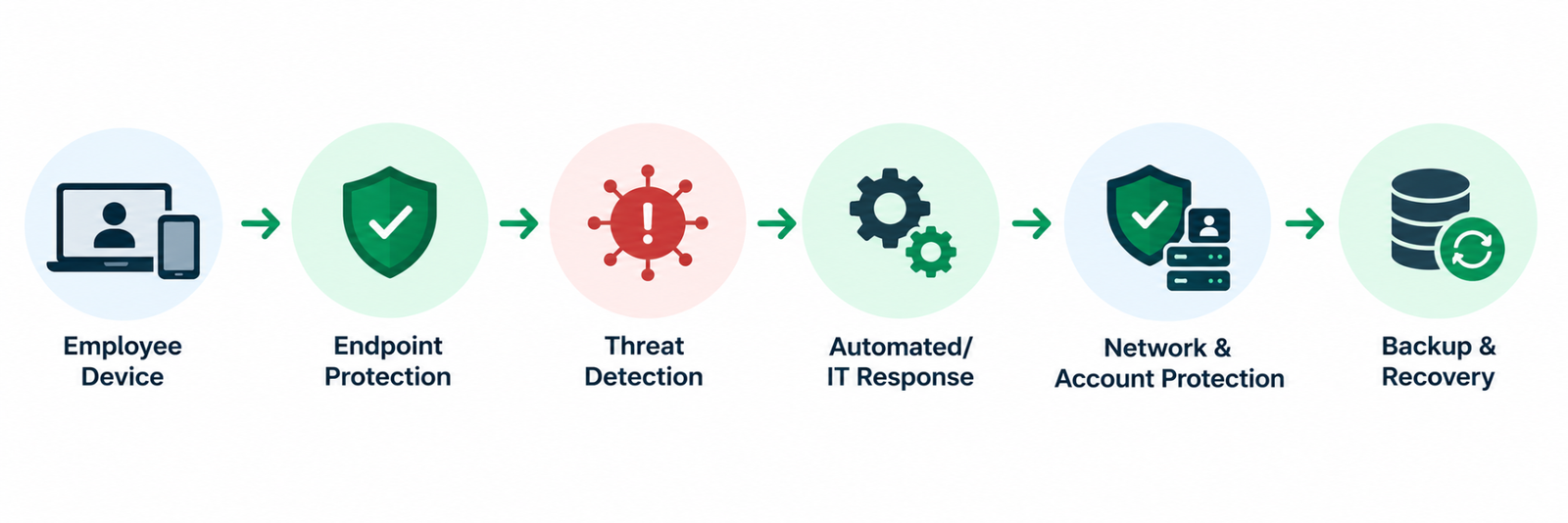
A business network is no longer limited to the computers sitting inside an office. Employees use laptops from home, smartphones while travelling, tablets during meetings, and sometimes personal devices to access company email, cloud applications, files, and business systems.
That creates a simple but important security challenge: every device connected to business resources can become a potential entry point for an attacker. A stolen password, malicious attachment, outdated application, or compromised laptop can give attackers an opportunity to move beyond a single device.
This is where endpoint security comes in. Rather than protecting only the network perimeter, it focuses on securing the individual devices employees use to access business systems and data. For Qatar businesses adopting hybrid work, cloud applications, and mobile access, protecting these endpoints has become an important part of a broader cybersecurity strategy.
What Is Endpoint Security?
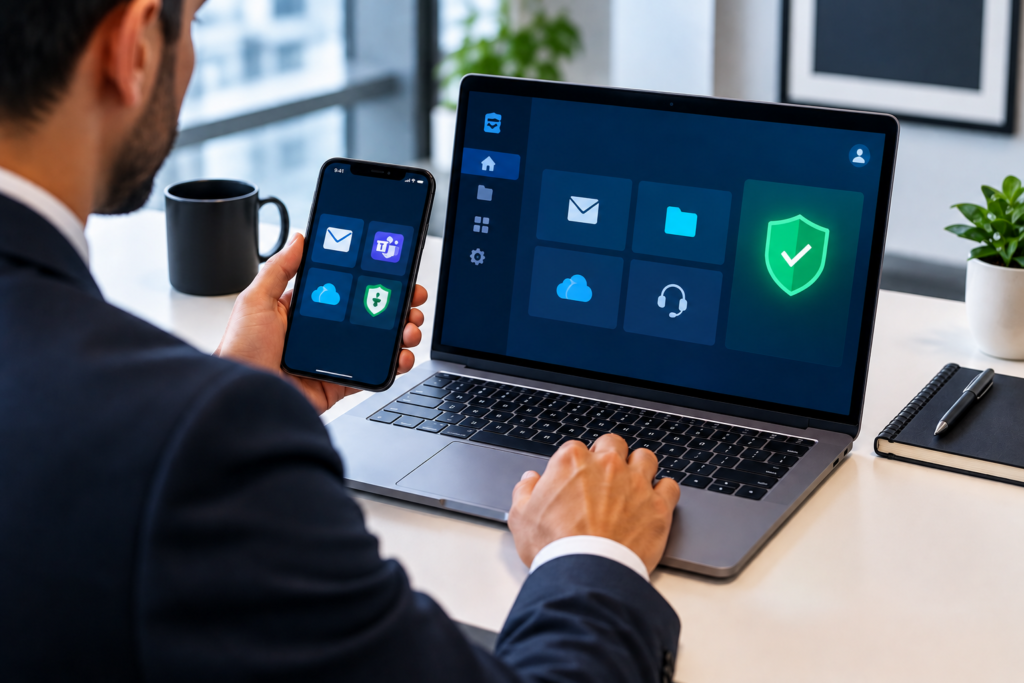
Endpoint security is the practice of protecting devices that connect to an organization’s network, applications, or data from cybersecurity threats.
An endpoint can be almost any device that communicates with business systems, including:
- Desktop computers
- Company laptops
- Smartphones
- Tablets
- Point-of-sale devices
- Workstations
- Certain servers and specialized business devices
- Internet-connected devices used within business operations
The important distinction is that endpoint security is not simply about installing antivirus software.
Modern endpoint protection can combine malware detection, behavioral monitoring, device controls, vulnerability management, threat detection, and centralized administration. The exact capabilities depend on the security platform and the organization’s requirements.
For example, if an employee receives a phishing email and downloads a malicious file, endpoint protection may be able to detect suspicious activity on the laptop before the threat spreads further. Similarly, security controls can help organizations identify devices that are missing important updates or are operating outside approved security policies.
NIST also treats endpoint protection as part of broader device security, recommending controls such as host-based protection, consistent device configurations, vulnerability management, and regular updates.
What Counts as an Endpoint in a Business?
One of the easiest ways to understand endpoint security is to look at how employees actually work.
Imagine a Doha-based company with 75 employees. Staff may use:
- 50 Windows laptops
- 15 company smartphones
- 10 tablets
- Cloud-based business applications
- Remote-access services
- Shared file storage
- Microsoft 365 or similar productivity platforms
Every one of those devices can interact with business information.
If one employee’s laptop becomes infected, the problem may not remain on that laptop. Depending on the attack and the organization’s network architecture, attackers could attempt to steal credentials, access shared resources, move laterally through the network, or obtain sensitive business information.
That is why a device security business strategy should consider the entire endpoint environment rather than treating each computer as an isolated device.
Why Are Laptops and Phones Common Attack Vectors?
Laptops and smartphones are attractive targets because they sit directly between employees and business systems.
They are used for email, authentication, file access, browsing, messaging, cloud applications, and remote connections. They also frequently leave the controlled environment of the office.
1. Employees interact with external content
Employees receive emails, download files, visit websites, use messaging applications, and interact with links every day. Attackers can use phishing and social engineering to trick users into opening malicious content or revealing credentials.
2. Devices may contain valuable information
A business laptop may contain cached credentials, documents, browser sessions, customer information, project files, or access tokens.
A compromised device can therefore provide attackers with more than just access to one computer.
3. Devices leave the office
A laptop may be used at home, in a hotel, airport, client office, café, or while travelling between locations.
For businesses operating across Qatar and the wider GCC, employees may also travel frequently for meetings, projects, and client work. Physical loss or theft therefore becomes another security consideration.
4. Personal and business devices can overlap
BYOD introduces another challenge. Employees may access company email or cloud services from personally owned smartphones or computers.
NIST’s guidance on enterprise mobile devices specifically covers both organization-provided and personally owned devices, highlighting the need for security management across the device lifecycle.
What Are the Three Main Types of Endpoint Security?
There is no single universal three-category model used by every security vendor, but endpoint protection is commonly understood through several overlapping control areas.
1. Malware and Threat Protection
This includes technologies designed to identify and block malicious software, suspicious files, ransomware, and other threats.
Traditional antivirus remains useful, but modern endpoint platforms can go further by looking at suspicious behavior rather than relying only on known malware signatures.
2. Device and Application Control
Organizations can control which applications are allowed to run, restrict risky activities, manage device configurations, and enforce security policies.
This becomes particularly useful when a business has dozens or hundreds of devices that need consistent configurations.
3. Detection, Monitoring and Response
Modern endpoint security can provide visibility into suspicious activity across devices and help security teams investigate incidents.
Depending on the platform, this can include centralized alerts, threat investigation, automated responses, isolation of compromised devices, and security reporting.
For larger organizations, these capabilities can help security teams respond to suspicious activity before it develops into a wider incident.
Endpoint Security vs Antivirus: What Is the Difference?
This is one of the most common questions businesses ask.
Antivirus is primarily focused on detecting and blocking malware. Endpoint security is broader.
Think of antivirus as one component within a larger endpoint protection strategy.
Endpoint protection software may combine malware prevention with:
- Behavioral threat detection
- Web protection
- Device control
- Application control
- Vulnerability monitoring
- Security policy enforcement
- Centralized management
- Threat investigation
- Automated response
The exact feature set varies between products, so businesses should evaluate what each platform actually provides rather than assuming that every product labelled “endpoint security” offers the same capabilities.
For an SME, a straightforward managed endpoint platform may be sufficient. A larger enterprise with multiple offices, remote workers, and a dedicated security team may require more advanced detection and response capabilities.
Why Is Endpoint Security Important for Businesses in Qatar?
For businesses in Qatar, endpoint security needs to reflect how modern organizations actually operate.
Many companies depend on cloud platforms, remote access, mobile devices, shared storage, online collaboration, and distributed teams. This means the old assumption that everything important is protected simply because it is inside the office is no longer enough.
Remote and hybrid work changes the security perimeter
An employee working from home may access company email, cloud applications, shared documents, and internal resources through a laptop outside the corporate network.
That laptop effectively becomes an extension of the organization’s working environment.
NIST’s telework guidance notes that remote-access devices should be secured because they can create additional opportunities for attackers and can provide access to organizational resources.
This makes remote work security an important part of endpoint protection.
Businesses should consider:
- Whether company devices are centrally managed
- Whether security software is installed and monitored
- How remote access is authenticated
- Whether multi-factor authentication is enabled
- How lost or stolen devices are handled
- Whether employees can install unauthorized applications
- How security updates are applied
- Whether personal devices are permitted to access sensitive systems
A remote employee should not become a blind spot simply because they are outside the office.
How Businesses Can Strengthen Endpoint Protection
Endpoint security works best as part of a layered security strategy.
Keep Operating Systems and Applications Updated
Attackers frequently exploit known vulnerabilities in operating systems, browsers, applications, and other software.
Businesses should establish a consistent patching process rather than relying on employees to update devices whenever they remember.
Automatic updates can help, but organizations should also monitor whether important devices are actually receiving updates.
Use Strong Identity Controls
A protected laptop can still be compromised if an attacker obtains the employee’s credentials.
Multi-factor authentication, strong passwords, privileged-access controls, and appropriate account permissions should therefore complement endpoint protection.
Endpoint security cannot compensate for weak identity security on its own.
Control Applications and Administrative Access
Employees do not necessarily need administrator privileges to perform their everyday jobs.
Limiting administrative access can reduce the damage caused if a user’s credentials or device are compromised.
Businesses can also control which applications are permitted and investigate unauthorized software installations.
Protect Mobile Devices
Smartphones are increasingly used for business email, messaging, authentication, cloud applications, and file access.
NIST’s current mobile-device guidance covers centralized management, endpoint protection technologies, and security considerations for both company-owned and personally owned mobile devices.
For businesses, this can mean establishing policies for screen locks, encryption, mobile management, application access, remote wiping, and handling lost devices.
Combine Endpoint Protection With Network Security
Endpoint protection should not operate in isolation.
A business may need endpoint security alongside firewalls, secure remote access, network segmentation, email security, identity controls, employee awareness training, and monitoring.
For organizations reviewing their broader security architecture, cybersecurity services can be a relevant internal resource to explore alongside endpoint protection.
Endpoint Security and Data Backup Need to Work Together
Preventing an attack is important, but businesses should also prepare for the possibility that a security control fails.
Consider a ransomware incident where an employee’s laptop becomes compromised and attackers eventually reach shared business data. Endpoint protection may help detect and stop the threat, but recovery depends on whether usable copies of important information are available.
This is why endpoint security should be connected to a broader data protection strategy.
Businesses should consider:
- Regular backups of critical data
- Protection of backup systems from unauthorized access
- Separate or otherwise protected backup copies
- Monitoring of backup jobs
- Regular restoration testing
- Clear recovery priorities
- Defined responsibilities during an incident
For businesses reviewing this part of their security architecture, enterprise storage and backup solutions provide a useful cross-cluster area to consider alongside endpoint protection.
Backup does not replace endpoint security, and endpoint security does not replace backup. They address different stages of the same business-risk problem.
A Practical Endpoint Security Strategy for a Qatar Business
Rather than buying security software and considering the job finished, IT managers can approach endpoint protection in several practical layers.
Step 1: Identify Your Endpoints
Create an accurate inventory of company laptops, desktops, smartphones, tablets, and other relevant devices.
You cannot properly protect devices that the IT team does not know exist.
Step 2: Classify Business Risk
Not every device has the same importance.
A laptop used for general administration may have different requirements from a device used by a finance manager, system administrator, or senior executive.
Identify devices and users with access to particularly sensitive information.
Step 3: Standardize Security
Establish baseline configurations for company devices.
These may include:
- Supported operating systems
- Security software
- Patch requirements
- Screen-lock policies
- Encryption
- Application restrictions
- User privileges
- Remote-access requirements
Step 4: Monitor and Respond
Security tools should generate useful alerts rather than simply sitting installed on devices.
Businesses need a process for determining who reviews alerts, how suspicious devices are isolated, and what happens when a potential compromise is detected.
Step 5: Test the Recovery Process
Endpoint security should be part of a wider incident-response and recovery plan.
Ask a practical question: if several employee laptops were compromised tomorrow, could the business identify the affected systems, contain the incident, restore important data, and continue essential operations?
If the answer is unclear, there is probably more work to do.
Practical Endpoint Security Takeaways
For IT managers and business decision-makers, the following points provide a useful starting point:
- Know exactly which devices connect to business systems.
- Keep operating systems and applications patched.
- Use modern endpoint protection rather than relying solely on traditional antivirus.
- Apply multi-factor authentication to important accounts.
- Restrict unnecessary administrator privileges.
- Establish clear rules for personal devices and BYOD.
- Protect smartphones and tablets that access company information.
- Secure remote-access technologies and cloud accounts.
- Monitor endpoint alerts and define who responds to them.
- Back up critical business data and test restoration.
- Train employees to recognize phishing and suspicious activity.
- Have a documented process for lost, stolen, or compromised devices.
- Review endpoint security regularly as the business grows.
The goal is not to make every employee a cybersecurity expert. It is to build an environment where devices have appropriate protections, risky activity can be detected, and the organization knows what to do when something goes wrong.
Frequently Asked Questions
What is an example of an endpoint?
A company laptop is a common example of an endpoint. Other examples include desktop computers, smartphones, tablets, workstations, and certain business-connected devices.
What are the three main types of endpoint security?
Endpoint security is not limited to exactly three categories, but common areas include malware and threat protection, device/application control, and detection and response. Modern platforms may combine several of these capabilities.
Why is endpoint protection on my PC?
Endpoint protection helps protect a computer from malware, suspicious activity, unauthorized applications, and other threats. In a business environment, it can also help IT teams manage security policies and monitor devices centrally.
What is the difference between endpoint security and antivirus?
Antivirus primarily focuses on detecting and blocking malware. Endpoint security is a broader approach that can include antivirus capabilities alongside behavioral detection, device control, application management, vulnerability monitoring, centralized administration, and response capabilities.
Can endpoint security prevent every cyberattack?
No security product can guarantee that every attack will be stopped. Endpoint protection is one layer of a broader security strategy that should also include identity security, network protection, patch management, employee awareness, backups, and incident response.
Conclusion
Every business now has more endpoints than it may realize. A laptop in a Doha office, a smartphone used by a sales employee, and a tablet used by a manager travelling across the GCC can all become connected to valuable company resources.
That makes endpoint security an important part of protecting modern business operations.
The right approach is not simply to install software on every device. Businesses need visibility into their endpoints, consistent security controls, strong identity protection, secure remote access, regular updates, employee awareness, and reliable backup and recovery processes.
For Qatar businesses reviewing their wider cybersecurity environment, Tasmeem Tech Trading can help assess how endpoint protection fits into the organization’s broader IT security and infrastructure requirements.