
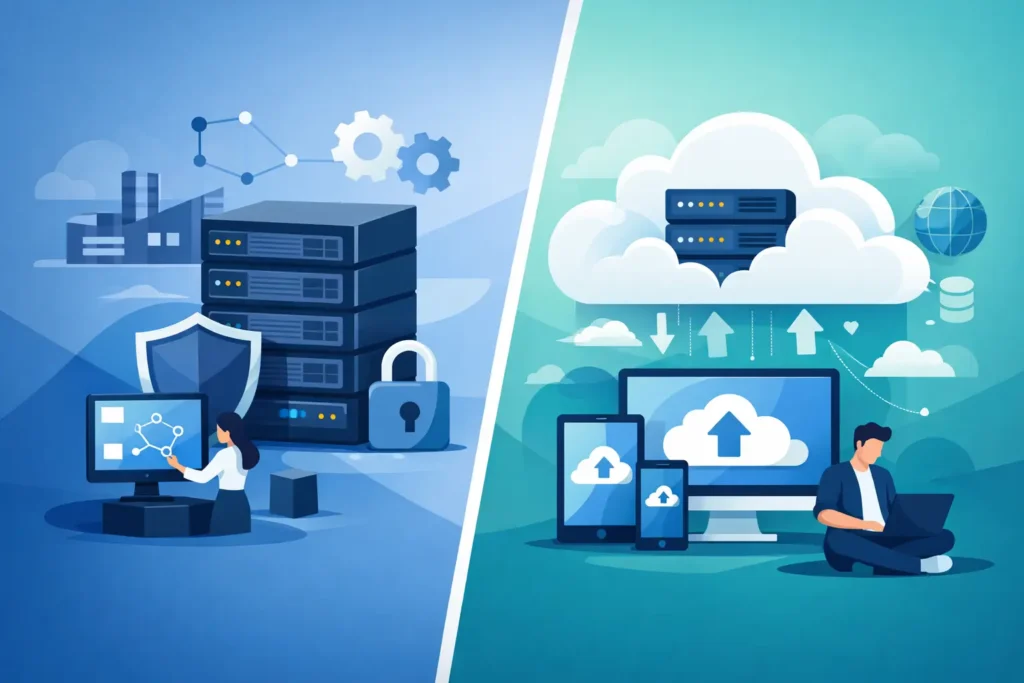
When a business starts dealing with slow file access, rising backup demands, or growing compliance pressure, the storage decision stops being a technical detail. The debate around enterprise storage vs cloud storage usually comes up at exactly that point – when uptime, data protection, and long-term cost begin to affect daily operations.
For many organizations, the right answer is not about choosing the newer option or the cheaper option on paper. It is about choosing the storage model that matches how the business actually works. A design office handling large files, a multi-site company with remote teams, and a regulated business protecting sensitive records will not evaluate storage in the same way.
Enterprise storage vs cloud storage: what is the difference?
Enterprise storage typically refers to on-premises or privately managed storage infrastructure built for business use. That can include NAS, SAN, backup appliances, high-availability arrays, and storage systems integrated with the company’s wider network and security environment. The business usually has direct control over configuration, access, performance, and data handling.
Cloud storage, by contrast, stores data on infrastructure hosted and managed by a third-party provider. Capacity can usually be expanded quickly, and users can access data from multiple locations without relying entirely on local hardware. Management overhead is often lower, but control is also more limited because the platform rules, pricing structure, and service boundaries are set by the provider.
The difference is not simply location. It is a question of control vs convenience, fixed investment vs operational spending, and predictable performance vs flexible scale.
Why the choice matters more than many businesses expect
Storage affects far more than file retention. It has a direct impact on application speed, backup windows, recovery time, collaboration, security enforcement, and business continuity.
If storage is poorly matched to workloads, teams feel it quickly. Files take longer to open, backups run into business hours, remote access becomes inconsistent, and restoration after an incident takes longer than expected. Those issues create operational delays long before they become line items in an IT review.
That is why the enterprise storage vs cloud storage conversation should be tied to business outcomes. The better question is not Which one is better? It is Which one supports our performance, risk, and growth requirements without creating avoidable complexity?
Where enterprise storage has the advantage
Enterprise storage remains the better fit when performance, control, and internal policy requirements are non-negotiable. Businesses running critical systems on-premises often need low-latency access that public cloud platforms may not consistently deliver, especially for large data sets, active databases, virtual environments, or bandwidth-heavy file operations.
It also offers stronger control over where data resides, how it is segmented, who can access it, and how retention rules are enforced. For companies with industry-specific compliance obligations or internal governance standards, that level of direct oversight matters.
Another practical advantage is predictability. Once the environment is properly designed, performance is easier to plan around. Costs can also be more stable over time, especially for businesses with heavy and continuous storage usage. Instead of paying recurring fees tied to growing consumption, they invest in infrastructure sized for defined workloads and expected expansion.
This model does come with responsibility. Hardware must be maintained, monitored, updated, secured, and eventually refreshed. If the infrastructure is poorly designed or unsupported, the control it provides can quickly turn into operational burden.
Where cloud storage makes more sense
Cloud storage is often attractive for businesses that need flexibility, simpler expansion, and access across multiple sites or remote teams. If staff need to collaborate from different locations, or if the business is growing faster than its internal infrastructure can keep up with, cloud platforms can reduce deployment time and remove some capital expense.
It also works well for certain backup and disaster recovery strategies. Replicating data to the cloud can improve resilience without requiring a second physical site. For small and mid-sized businesses that want reliable off-site protection without building out additional infrastructure, this is a practical benefit.
Cloud storage can also reduce the day-to-day maintenance burden on internal teams. That matters for organizations without dedicated in-house IT resources or for companies that want their technical staff focused on core systems rather than storage administration.
Still, convenience has trade-offs. Recurring costs can rise significantly as data volume, retrieval activity, and retention needs increase. Performance depends on internet connectivity and provider architecture. In some environments, especially those with large active files or strict latency requirements, that dependency becomes a limitation.
Cost is not as simple as CapEx vs OpEx
A common mistake is to treat enterprise storage as expensive and cloud storage as affordable. The reality is more complicated.
Enterprise storage usually requires higher upfront investment. You pay for hardware, deployment, configuration, licensing, and support. But over time, for stable workloads and high-volume storage, the total cost can be more favorable because usage does not trigger the same kind of monthly scaling charges.
Cloud storage shifts spending into an operating model. That can improve cash flow and reduce initial project costs. It is often useful when a business wants to avoid large capital purchases or needs to scale quickly. But monthly fees, access charges, data egress costs, premium service tiers, and backup retention can add up faster than expected.
The right cost comparison should include more than purchase price. It should account for support requirements, backup strategy, recovery expectations, internet dependence, compliance controls, and the operational impact of downtime. A lower entry cost does not always mean a lower long-term cost.
Security and compliance depend on execution
Neither model is automatically more secure. Security depends on how the solution is designed, monitored, and maintained.
Enterprise storage allows tighter internal control. Businesses can define network segmentation, local access restrictions, encryption standards, and physical handling policies around their own environment. For some organizations, especially those managing sensitive operational or customer data, that level of control supports stronger governance.
Cloud storage providers often offer strong security capabilities as well, including encryption, redundancy, identity controls, and geographic resilience. The challenge is shared responsibility. The provider secures the platform, but the customer is still responsible for permissions, policy settings, user behavior, and data governance. Misconfiguration remains one of the most common sources of risk.
Compliance adds another layer. Data residency, retention policies, audit trails, and sector-specific controls may point clearly toward one model or a hybrid design. If compliance is part of the decision, storage should be evaluated alongside cybersecurity, backup, and access management rather than as a standalone purchase.
Enterprise storage vs cloud storage for growing businesses
For growing businesses, the best choice often depends on what is growing. If the company is adding users across branches, supporting mobile teams, or standardizing collaboration, cloud storage may provide the flexibility needed without delaying expansion.
If growth means larger production workloads, more virtual machines, heavier databases, or higher transaction volume, enterprise storage may offer the consistent performance and local control required to support that growth properly.
This is where a hybrid approach often makes the most sense. Core operational workloads can remain on enterprise storage for speed and control, while backups, archiving, remote collaboration, or disaster recovery can use cloud resources. That balance gives businesses more flexibility without pushing every function into a single model.
For many companies, hybrid is not a compromise. It is the most practical design.
How to make the right decision
Start with the workload, not the product category. Look at how much data is active, how fast it needs to be accessed, who needs it, where users are located, how quickly it must be restored, and what compliance obligations apply.
Then assess internal capability. A business with strong IT support and clear infrastructure standards may benefit from enterprise storage control. A business that wants simpler management or has distributed teams may get better value from cloud-based services. Many need both, deployed with a clear role for each.
A good storage decision should also fit the wider environment. Networking, cybersecurity, backup, power protection, endpoint management, and ongoing support all affect whether storage performs well in practice. That is why many organizations work with a partner that can design, supply, deploy, and support the full solution rather than just sell hardware or licenses.
TASMEEM TECH TRADING approaches storage this way – as part of a wider business infrastructure strategy built around reliability, security, and long-term support.
The smartest storage investment is rarely the one with the simplest sales pitch. It is the one that still supports your business when data grows, teams expand, and downtime becomes more expensive than the original purchase decision.