
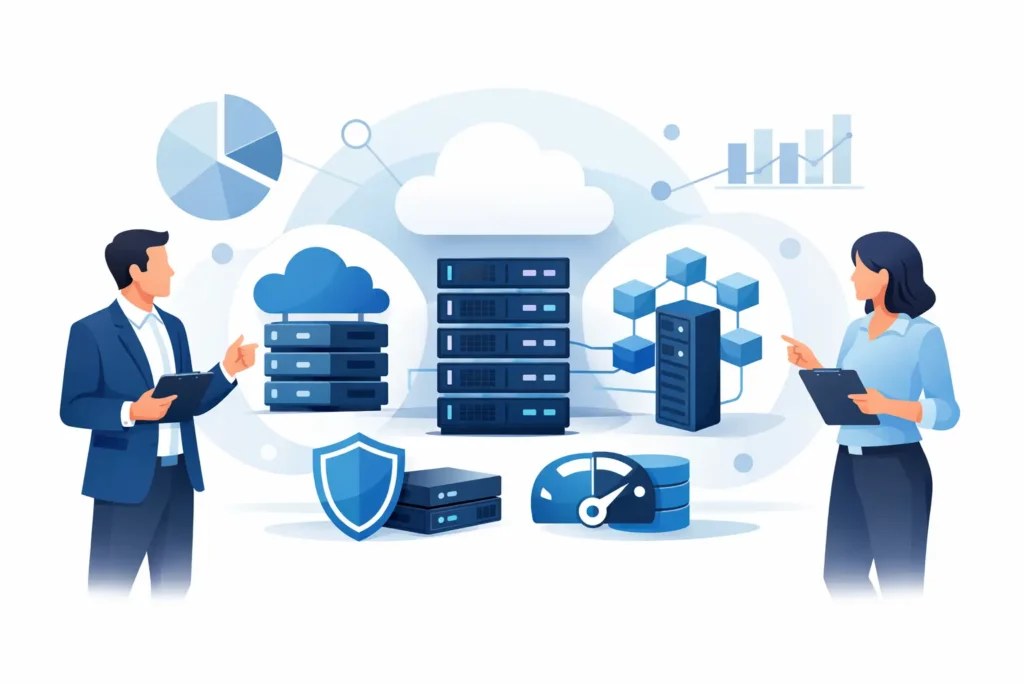
A storage problem usually shows up long before anyone calls it one. Backups start missing their window. Shared folders slow down during peak hours. Recovery takes longer than the business can tolerate. At that point, enterprise storage solutions stop being a technical upgrade and become an operational requirement.
For growing businesses, storage decisions affect far more than capacity. They shape application performance, data protection, compliance readiness, user productivity, and the speed of recovery after an outage or attack. The right solution supports daily operations without adding unnecessary complexity. The wrong one creates risk that often stays hidden until a system failure, ransomware event, or sudden growth exposes it.
What enterprise storage solutions need to solve
Most organizations are not simply looking for more space. They need storage that can support virtual machines, business applications, shared files, surveillance data, backups, and long-term retention without creating bottlenecks. They also need predictable performance, clear recovery options, and room to scale.
That is why storage planning should start with business use cases, not just hardware specifications. A finance team accessing large records, a design team working with heavy files, or a multi-site company relying on centralized systems will each place different demands on the environment. Some workloads require high-speed access with low latency. Others are better suited to lower-cost capacity tiers designed for archive or backup.
A practical storage strategy balances performance, protection, and budget. If one of those is ignored, the investment may look sufficient on paper but fail in day-to-day use.
Types of enterprise storage solutions
There is no single model that fits every organization. The best choice depends on workload, risk tolerance, internal IT resources, and growth plans.
Network attached storage for shared business data
Network attached storage, or NAS, is a strong fit for businesses that need centralized file access, backup targets, and straightforward management. It is commonly used for department shares, document repositories, media libraries, and local backup storage. For many small and mid-sized businesses, modern NAS platforms offer a practical path into enterprise-grade storage without the cost and complexity of a large data center environment.
That said, not every NAS deployment is equal. Drive configuration, processor capability, caching, network design, and redundancy all affect real-world performance. A low-cost unit may appear attractive initially, but if it cannot handle concurrent users or future expansion, the savings disappear quickly.
SAN storage for performance-sensitive workloads
A storage area network, or SAN, is often used when businesses need higher performance and structured storage for virtualization, databases, and critical applications. SAN environments are designed to deliver block-level storage with tighter performance control. They are well suited to organizations running multiple virtual servers or applications that cannot tolerate delays.
The trade-off is complexity. SAN infrastructure usually requires more planning, more skilled administration, and a clearer understanding of workload behavior. For the right environment, that investment is justified. For a smaller business with simpler file-sharing needs, it may be more than necessary.
Hybrid storage for balance and flexibility
Many businesses now choose a hybrid approach. Frequently accessed data stays on fast local storage, while backups, replication, and archive data are handled through secondary systems or cloud-integrated platforms. This model can control costs while preserving performance where it matters most.
Hybrid environments are often the most practical because business data does not have a single value profile. Live application data, legal records, user shares, and backup copies should not always sit on the same storage tier. Separating them improves both efficiency and resilience.
Performance is only one part of the decision
Storage conversations often focus too heavily on speed. Performance matters, but it should be evaluated in context. A business does not need the fastest possible storage everywhere. It needs the right performance for the right workload.
For example, virtualized environments and transactional applications may benefit from SSD-based arrays, high-throughput networking, and optimized caching. On the other hand, backup repositories and long-term surveillance retention usually benefit more from capacity, redundancy, and cost efficiency than top-tier speed.
This is where sizing and planning become critical. Overbuilding wastes budget. Underbuilding creates user frustration and service interruptions. A reliable storage design accounts for current demand, expected growth, peak usage patterns, and recovery requirements rather than relying on raw capacity alone.
Security and backup must be built into the design
Storage cannot be treated as an isolated hardware purchase. It is directly connected to business continuity and cybersecurity. If your production data is accessible but not protected, the environment remains exposed.
Effective enterprise storage solutions should support layered protection. That includes role-based access controls, encryption where appropriate, snapshot capability, backup integration, immutability options, and offsite replication. These features help reduce the impact of accidental deletion, hardware failure, insider risk, and ransomware.
Backups deserve special attention. Many organizations assume they are protected because backup software is installed, but recovery depends on far more than that. Backup jobs must complete consistently, recovery points must align with business expectations, and restore testing must confirm that systems can actually be recovered within an acceptable timeframe.
There is also an important distinction between redundancy and backup. RAID protects against drive failure. It does not replace backup. Replication improves availability. It does not guarantee clean recovery if corrupted data is replicated too. A proper design treats these as separate layers, each with a defined purpose.
Scalability should be planned before it is needed
One of the most common storage mistakes is buying only for today. Businesses grow, file sizes increase, retention periods expand, and new systems are added. What appears adequate at deployment can become restrictive much sooner than expected.
Scalability should be considered in both capacity and architecture. Can the platform expand without major disruption? Can it support additional users, branch offices, surveillance systems, or virtual workloads? Can it integrate with cloud services or disaster recovery planning later if business needs change?
Not every business needs a large-scale platform from day one. However, every business benefits from choosing a storage foundation that avoids forced replacement after a short growth cycle. That is especially relevant for companies that want stable operations and predictable IT spending.
Support matters as much as the hardware
Storage is not a set-and-forget investment. Ongoing monitoring, firmware updates, failed drive replacement, backup verification, capacity planning, and incident response all affect reliability over time. This is one reason many businesses prefer a single provider that can design, deploy, and support the environment instead of dividing accountability across multiple vendors.
A well-supported storage solution reduces downtime and shortens response time when something goes wrong. It also helps procurement and operations teams avoid the burden of managing separate suppliers for equipment, installation, licensing, maintenance, and troubleshooting.
For organizations without a large internal IT team, support structure can be the difference between a stable platform and a recurring operational issue. Even businesses with in-house IT often benefit from a technology partner that can advise on sizing, brand selection, redundancy planning, and lifecycle management.
How to evaluate enterprise storage solutions for your business
The best evaluation process starts with a few practical questions. What data is most critical? How quickly must it be recovered? Which applications are most sensitive to latency? How much data growth is expected over the next three years? What level of downtime is acceptable? Where are the current pain points – backup failures, slow file access, limited capacity, or poor visibility?
From there, the decision becomes clearer. A business with distributed teams and heavy file collaboration may prioritize centralized access and fast networking. A company running critical applications on virtual infrastructure may need higher-performance shared storage. An organization with strict retention requirements may need a tiered design that separates active data from archive and backup.
This is also where vendor choice matters. Enterprise platforms from established manufacturers bring different strengths in management, scalability, integration, and support ecosystems. The right fit depends on the environment, not just the brand name.
TASMEEM TECH TRADING approaches storage projects with that broader view in mind – aligning infrastructure choices with business continuity, operational performance, and long-term support requirements.
The right storage decision is a business decision
Storage is easy to underestimate because it works in the background when everything is healthy. But when it is undersized, poorly protected, or difficult to recover, the effect reaches every department. Productivity drops, risk increases, and confidence in the wider IT environment starts to weaken.
The better approach is to treat storage as a core business system. Choose a design that matches your workloads, protects your data properly, and gives your organization room to grow without constant rework. A well-planned storage environment does more than hold information – it helps keep the business available, secure, and ready for what comes next.