
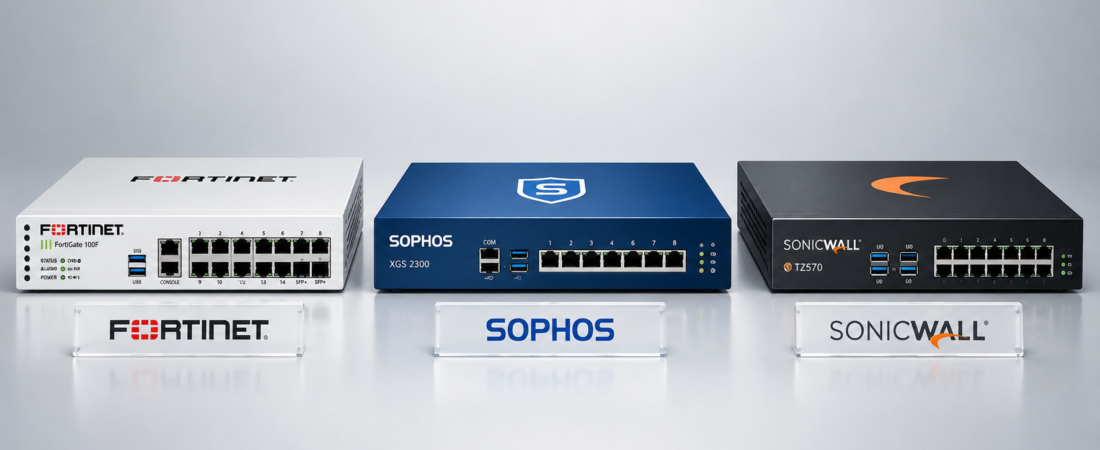
Fortinet vs Sophos vs SonicWall
Choosing a firewall for a business is no longer simply about blocking unwanted internet traffic. A modern firewall can influence network performance, remote access, application security, VPN connectivity, branch connectivity, monitoring, and how easily your IT team can manage security across the organization.
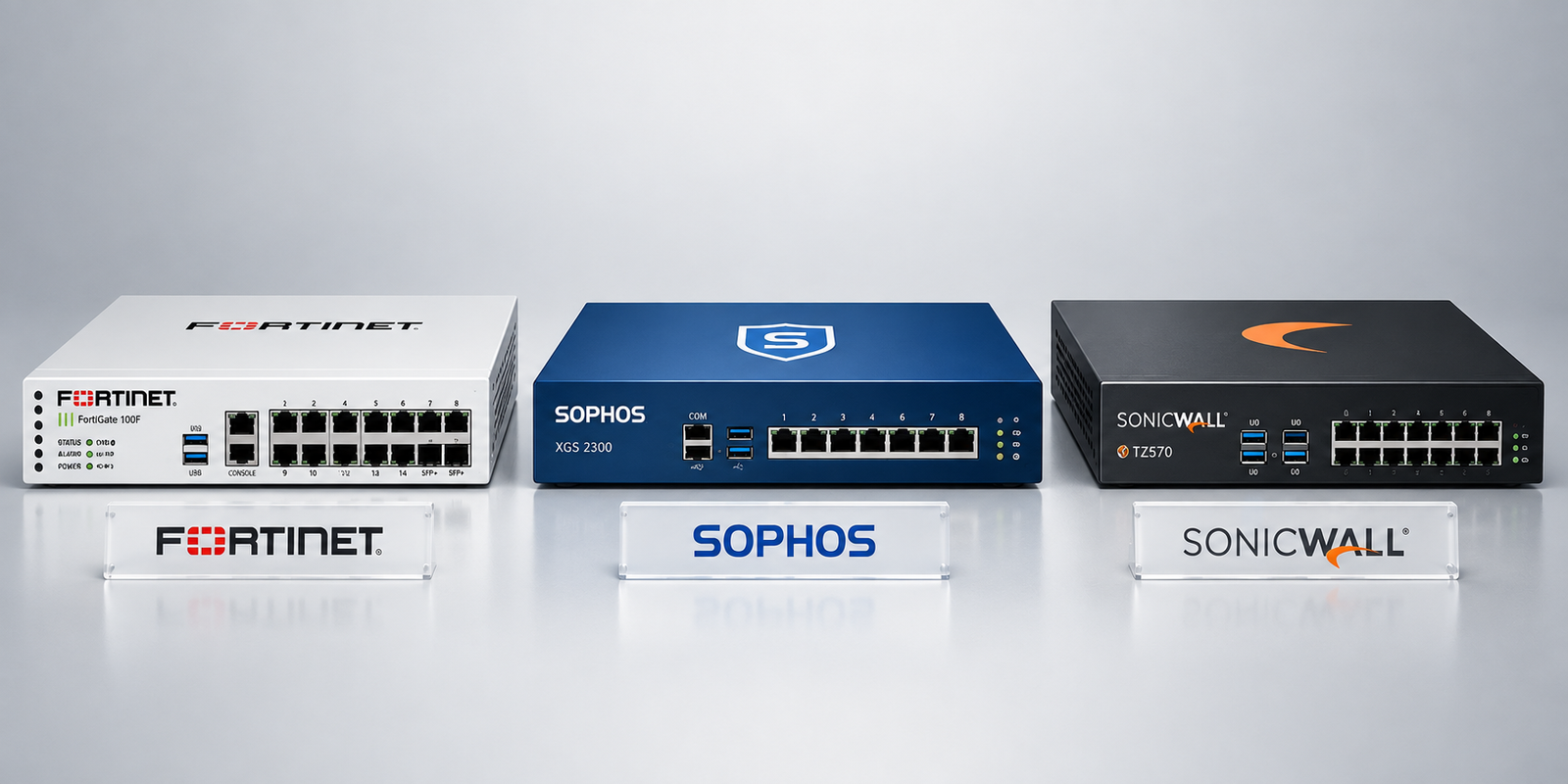
If you are researching how to choose a business firewall, Fortinet, Sophos, and SonicWall are three names you are likely to encounter. All three offer next-generation firewall platforms, but their product ranges, management approaches, security ecosystems, and deployment options are not identical.
The right decision depends on your business rather than a universal “best” firewall. A small Doha office with one internet connection has different requirements from a Qatar-based enterprise with multiple branches, remote users, high-bandwidth applications, and a dedicated IT security team.
What Should a Business Firewall Actually Do?
Before comparing brands, it helps to understand what you are buying.
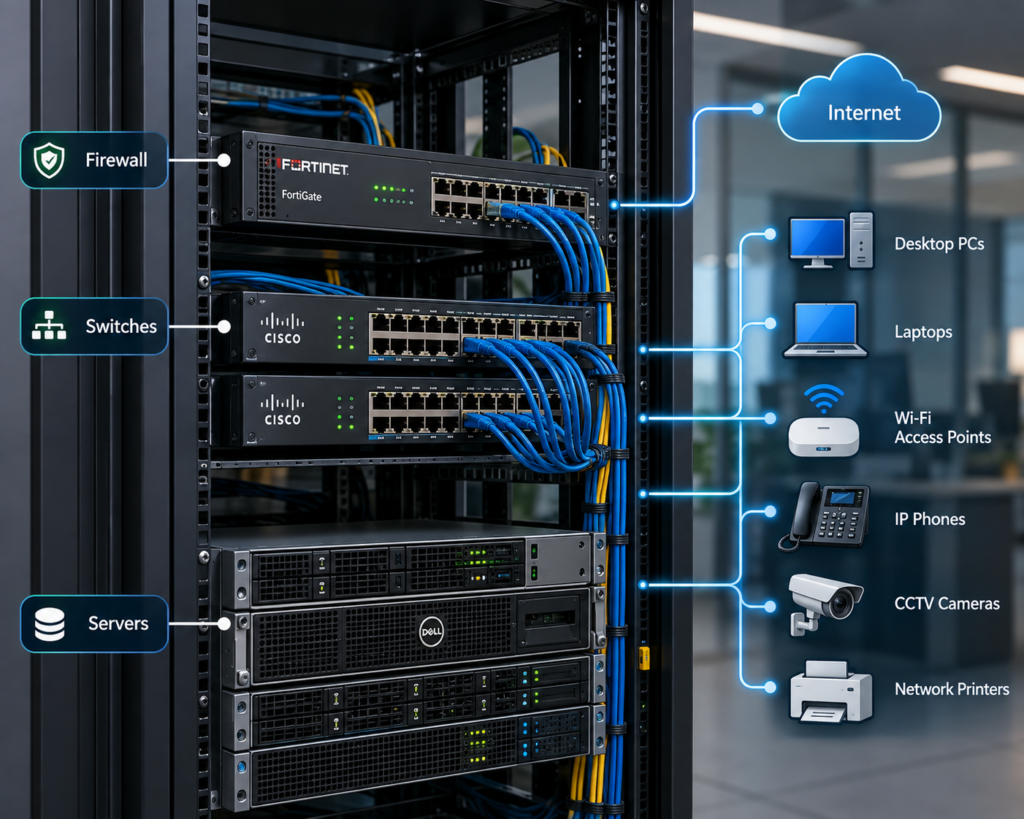
A network firewall for business controls and monitors traffic moving between networks. Depending on the model and security subscriptions, a modern firewall may provide capabilities such as:
- Traffic filtering and access policies
- Intrusion prevention
- Application control
- Web and DNS filtering
- VPN and secure remote access
- Malware and threat inspection
- Network segmentation
- SD-WAN
- High availability
- Centralized management and reporting
This is why modern firewalls are commonly called next-gen firewalls (NGFWs). They combine traditional firewall functions with additional inspection and security capabilities.
What are the four main types of firewalls?
The traditional categories include:
- Packet-filtering firewalls – examine traffic based on rules such as IP addresses, ports, and protocols.
- Stateful firewalls – track active connections and make decisions based on the state of network traffic.
- Proxy/application firewalls – act as an intermediary between users and services and can inspect traffic at a deeper application level.
- Next-generation firewalls – combine traditional firewall functions with capabilities such as application awareness, intrusion prevention, user controls, and advanced threat inspection.
Most businesses evaluating Fortinet, Sophos, or SonicWall today are looking at the fourth category.
Fortinet vs Sophos vs SonicWall: What Is Different?
The three vendors overlap considerably in their core firewall capabilities, but each has a different ecosystem and management approach.
| Area | Fortinet | Sophos | SonicWall |
| Main firewall family | FortiGate | Sophos Firewall / XGS | TZ, NSa and higher-end platforms |
| Security ecosystem | Fortinet Security Fabric | Sophos Central / Sophos Fusion | SonicWall security ecosystem |
| Management | FortiManager / FortiManager Cloud and related tools | Sophos Central / Fusion | Network Security Manager and SonicWall cloud tools |
| SD-WAN | Integrated into FortiGate | Integrated into Sophos Firewall | Available across supported platforms |
| Endpoint integration | FortiClient and broader Fortinet ecosystem | Strong integration with Sophos endpoint/security products | Integration with Capture Client and SonicWall ecosystem |
| Typical consideration | Broad networking and security ecosystem | Unified security management | SMB, branch and distributed-network deployments |
The table is a starting point, not a scorecard. Specific capabilities, throughput, licensing, and supported features vary by model and software subscription.
Fortinet: A Broad Networking and Security Ecosystem
Fortinet’s FortiGate range is positioned as a next-generation firewall platform that combines security functions with networking capabilities such as SD-WAN, ZTNA, and other Fortinet services. Fortinet also provides centralized management through FortiManager for organizations managing multiple FortiGate devices and wider Fortinet infrastructure.
One consideration is the breadth of the ecosystem.
A business that expects to deploy FortiSwitch, FortiAP, FortiClient, SD-WAN, or other Fortinet technologies may be able to manage more of its security and networking environment through connected Fortinet platforms.
Fortinet also offers firewall models aimed at smaller businesses as well as larger environments, giving organizations a path to expand their firewall infrastructure as requirements change.
Businesses in Qatar evaluating Fortinet can review the available Fortinet firewall solutions to see the product range available locally.
Where Fortinet may fit
Fortinet may be worth considering when:
- The business wants networking and security closely integrated.
- Multiple branches or sites need centralized management.
- SD-WAN is part of the network strategy.
- The organization expects its security infrastructure to expand.
- The IT team wants a broader security ecosystem rather than a standalone firewall.
The important point is to select the specific FortiGate model based on actual traffic, VPN, inspection, and growth requirements rather than simply choosing a model based on employee count.
Sophos: Security and Centralized Management
Sophos takes a particularly integrated approach between its firewall, endpoint, and wider cybersecurity portfolio.
Its current Sophos Firewall platform uses the XGS series and includes capabilities such as TLS inspection, intrusion prevention, SD-WAN, ZTNA, DNS protection, and threat detection. Sophos also positions Sophos Fusion as a centralized management approach for firewalls and other Sophos security products.
This can be relevant for organizations that want network and endpoint security to work closely together.
For example, an IT team managing both Sophos Firewall and Sophos endpoint protection can use the broader Sophos ecosystem to share security information and manage multiple security controls through connected platforms.
Sophos also supports cloud-based firewall management and zero-touch deployment for supported XGS models, which can be useful when managing distributed locations.
For businesses considering Sophos in Qatar, the available Sophos firewall and cybersecurity solutions provide a useful starting point for evaluating the product range.
Where Sophos may fit
Sophos may be relevant when:
- Endpoint and firewall security need to work closely together.
- A business wants centralized cloud management.
- The organization has multiple offices or remote users.
- IT administrators value integrated reporting and administration.
- The business wants to combine firewall, endpoint, email, and other security controls within one ecosystem.
As with any vendor, the specific firewall model should be sized against real traffic and security requirements.
SonicWall: Business and Branch-Focused Firewall Options
SonicWall has a broad firewall portfolio that includes TZ platforms for smaller and mid-sized environments as well as higher-capacity NSa and NSsp platforms.
Its TZ range includes capabilities such as application control, VPN, SD-WAN, multiple ISP failover, load balancing, and security inspection, depending on the model and licensing. SonicWall also provides cloud-based management through its Network Security Manager and broader SonicWall ecosystem.
That makes SonicWall relevant for businesses that need secure connectivity across offices, branches, remote users, and cloud-based applications.
SonicWall’s ecosystem can also extend beyond the firewall. Its documentation describes integration with SonicWall switches and other security products, allowing businesses to build a more connected security environment.
Where SonicWall may fit
SonicWall may be relevant when:
- A business needs a firewall for an office or branch environment.
- Multiple ISP connections or SD-WAN are part of the network design.
- Remote access and VPN are important.
- The organization wants to expand within the SonicWall ecosystem.
- The business needs a range of appliance sizes as its infrastructure grows.
Again, the correct model depends on traffic, security services, users, sites, and expected growth.
How to Choose a Business Firewall Based on Your Actual Requirements
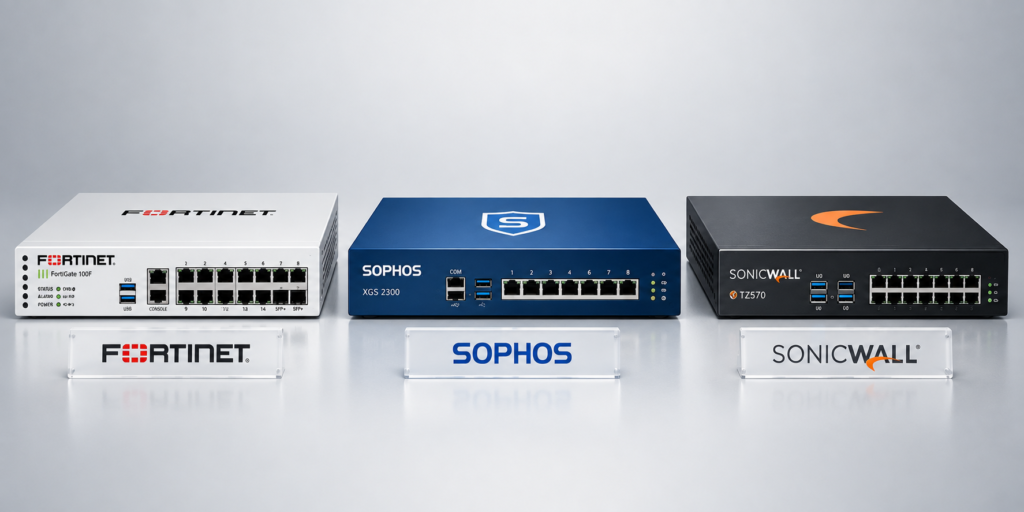
Rather than starting with a brand, start with the network.
1. How many users and devices will it support?
Employee laptops are only part of the calculation.
Your firewall may also need to handle:
- IP phones
- CCTV systems
- Wi-Fi users
- Servers
- Guest networks
- IoT devices
- Cloud applications
- VPN users
- Multiple branches
A 50-person office with heavy cloud use and several VPN connections can have very different firewall requirements from a 50-person office with basic internet usage.
2. What internet speed do you have?
Firewall performance should be considered against the services you intend to enable.
If your business has high-speed internet but plans to inspect encrypted traffic, run intrusion prevention, use application control, and support VPN users, the relevant performance figures may be different from basic firewall throughput.
Do not select hardware based only on the advertised maximum firewall throughput.
3. How many locations do you have?
A single-office business may need one primary firewall.
A company with offices in Doha, Al Wakrah, Lusail, or other locations may need centralized management, site-to-site VPNs, SD-WAN, redundancy, and consistent security policies across locations.
This is where management capabilities can become as important as the firewall appliance itself.
4. Does the business need remote access?
If employees work remotely, the firewall may become part of the organization’s secure-access architecture.
Look at VPN capacity, authentication options, ZTNA capabilities, remote-user policies, and how easily access can be monitored and managed.
5. What security services will you actually use?
A firewall may support many security services, but you should determine which ones your organization actually needs.
Consider:
- Intrusion prevention
- Web filtering
- Application control
- DNS security
- Malware inspection
- SSL/TLS inspection
- Sandboxing
- Secure remote access
- SD-WAN
The more services enabled, the more important correct hardware sizing becomes.
When evaluating how to choose a business firewall, look beyond the appliance’s headline specifications. Consider factors such as network traffic, security requirements, deployment architecture, management, scalability, and how the firewall will be configured and maintained over time. NIST’s guidelines on firewalls and firewall policy also emphasize selecting, configuring, testing, deploying, and managing firewall solutions as part of an effective firewall strategy.
Management and Scalability Matter More Than Many Buyers Expect
Buying the appliance is only the beginning.
Someone will need to create security policies, review logs, update firmware, monitor alerts, manage VPN users, maintain backups, and troubleshoot connectivity.
For a business with multiple firewalls, centralized management becomes even more important.
Fortinet provides FortiManager for centralized management of FortiGate deployments, while Sophos provides centralized management through Sophos Fusion and related Sophos Central capabilities. SonicWall provides Network Security Manager for supported firewall environments.
For Qatar businesses with multiple branches, ask a simple question:
“Who will manage this firewall six months after installation?”
A solution that looks attractive during procurement may become difficult to maintain if the IT team lacks the time or expertise to manage it properly.
What About Cost and Licensing?
Purchase price is only one part of the firewall cost.
When comparing Fortinet, Sophos, and SonicWall, consider:
- Appliance cost
- Security subscriptions
- Support contracts
- VPN requirements
- Cloud management
- Hardware replacement
- Software upgrades
- Additional security services
- Professional installation
- Ongoing monitoring and maintenance
Two firewalls with similar hardware prices can have very different total costs depending on the services and subscriptions required.
This is particularly relevant for SMEs, where a predictable operating cost may be more important than simply finding the lowest initial purchase price.
What Is the Right Firewall for a Small Business?
There is no single firewall that is automatically right for every small business.
A small office may need a relatively straightforward appliance with secure internet access, VPN, web filtering, threat prevention, and basic centralized management.
A growing SME with several branches may need more advanced capabilities, including SD-WAN, redundant connectivity, centralized policies, and stronger reporting.
An enterprise may need high availability, larger connection capacity, multiple security zones, centralized management, advanced inspection, and integration with existing security operations.
The correct question is therefore not “Which firewall is best?”
It is:
“Which firewall can meet our current requirements without creating unnecessary complexity or limiting our next stage of growth?”
When Should You Replace an Existing Business Firewall?
You do not necessarily need to replace a firewall simply because a newer model exists.
However, replacement may need consideration when:
- The appliance has reached end of support.
- Internet bandwidth has increased substantially.
- VPN demand has grown.
- Security services are causing performance limitations.
- The organization has added multiple branches.
- Existing hardware cannot support required security features.
- The vendor no longer provides appropriate updates or support.
- The network architecture has changed significantly.
For organizations reviewing their broader security environment, cybersecurity services can be considered alongside firewall selection, since firewall protection is only one part of a complete security strategy. Tasmeem’s current cybersecurity offering also covers endpoint protection, email security, backups, and security monitoring.
A Practical Firewall Selection Checklist
Before requesting a quote or choosing a model, document the following:
Network
- Number of users
- Number of devices
- Internet bandwidth
- Number of locations
- Internal network segments
Security
- Required threat-prevention services
- Web and application controls
- SSL/TLS inspection requirements
- Remote-access security
- VPN requirements
Performance
- Expected traffic volume
- Concurrent connections
- VPN users
- Security inspection requirements
- Future bandwidth growth
Management
- Single-site or multi-site management
- Cloud management requirements
- IT team expertise
- Monitoring and reporting requirements
Commercial
- Hardware cost
- Subscription costs
- Support
- Warranty
- Installation
- Ongoing maintenance
- Expected lifecycle
Having this information ready makes a Fortinet vs Sophos vs SonicWall comparison much more meaningful because you are comparing appropriate models rather than brand names in isolation.
Practical Takeaways
Before selecting a next-gen firewall, remember:
- Start with your network requirements, not the vendor name.
- Compare actual security-enabled performance rather than headline firewall throughput.
- Consider VPN users, cloud applications, branches, and future bandwidth.
- Check what security subscriptions are required for the features you need.
- Evaluate centralized management if your business has multiple locations.
- Consider the IT team’s ability to configure, monitor, and maintain the platform.
- Look at total cost of ownership rather than hardware price alone.
- Make sure the firewall can integrate with your wider security and network infrastructure.
- Plan for at least several years of business growth rather than sizing only for today’s requirements.
Frequently Asked Questions
What is the best firewall for a small business?
There is no single firewall that is best for every small business. The appropriate choice depends on internet speed, users, security requirements, VPN usage, existing infrastructure, management needs, and budget.
What is the best firewall device for a small business?
A suitable device should be sized according to the business’s actual traffic and security requirements. Look at security-enabled throughput, VPN capacity, interfaces, management, subscriptions, and expected growth rather than choosing solely by employee count.
Which company’s firewall is best?
Fortinet, Sophos, and SonicWall all offer business firewall platforms with different ecosystems and management approaches. The more useful comparison is which vendor and model align with your network architecture, security requirements, IT expertise, and long-term plans.
What are the four types of firewalls?
The traditional categories are packet-filtering, stateful inspection, proxy/application firewalls, and next-generation firewalls. Most businesses currently evaluating Fortinet, Sophos, or SonicWall are looking at next-generation firewall platforms.
How do I choose a business firewall?
Start by documenting users, devices, internet bandwidth, locations, VPN requirements, security services, management needs, and expected growth. Then compare appropriately sized models from the vendors that fit those requirements.
Conclusion
Learning how to choose a business firewall starts with understanding that the appliance is only one part of the decision. The right solution needs to protect the network, support the organization’s applications and users, provide manageable security controls, and remain suitable as the business grows.
Fortinet, Sophos, and SonicWall all provide established business firewall platforms, but their ecosystems and management approaches differ. Fortinet may suit organizations looking for a broad integrated networking and security ecosystem, Sophos may be relevant to businesses prioritizing connected firewall and endpoint management, while SonicWall offers a range of platforms for SMB, branch, and larger environments. These are differences to evaluate against your requirements, not universal rankings.
For businesses in Qatar, factors such as multiple branches, remote connectivity, high-speed internet, local support, security management, and future expansion should all form part of the decision.
If you are reviewing your current firewall or planning a new network firewall for business, a requirements-based assessment can help narrow the options before you commit to a particular platform or model.