
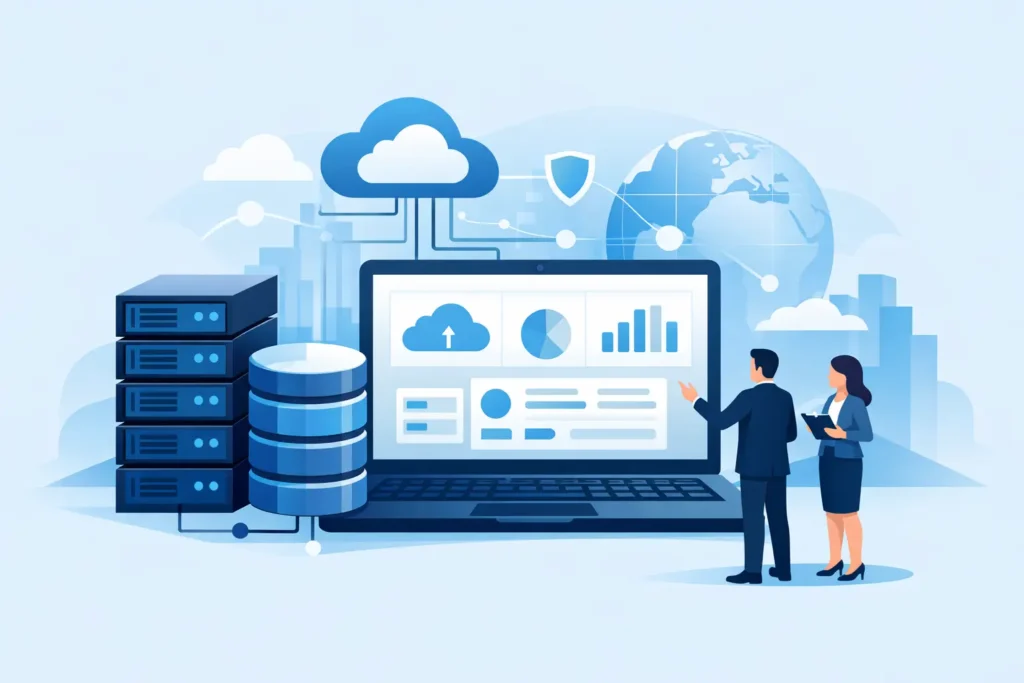
A growing business usually notices its storage problem only after something goes wrong. Backups start missing their window, shared folders slow down, critical files live in too many places, or recovery after an outage takes far longer than expected. That is usually when the question comes up: what is enterprise storage solutions, and why does it matter so much once operations begin to scale?
Enterprise storage solutions are business-grade systems designed to store, protect, manage, and recover large volumes of data across an organization. Unlike basic external drives or consumer cloud accounts, enterprise storage is built for uptime, security, controlled access, performance, and long-term growth. It supports daily operations while also helping businesses meet backup, compliance, and disaster recovery requirements.
What Is Enterprise Storage Solutions in Practical Terms?
In practical terms, enterprise storage is the infrastructure that keeps business data available and usable when teams, applications, and locations all depend on it at the same time. That includes files, databases, virtual machines, email archives, surveillance footage, application data, and backup copies.
The word enterprise does not only apply to very large corporations. A small or mid-sized business can also need enterprise storage if it relies on continuous access to business systems, handles sensitive information, or expects steady growth. If downtime affects revenue, customer service, or internal productivity, consumer-grade storage is rarely enough.
A proper enterprise storage environment typically includes the storage hardware itself, the software that manages it, backup and replication processes, user permissions, monitoring, and a plan for recovery. The real value is not just capacity. It is control.
How Enterprise Storage Differs From Basic Storage
Standard storage gives you a place to save data. Enterprise storage gives your business a structured way to run on that data.
That difference shows up in several ways. Enterprise systems are designed to support multiple users and workloads without major performance drops. They offer redundancy so a failed drive does not immediately become a business interruption. They include access controls, encryption options, snapshots, and backup integration. They can also scale in a more predictable way as storage demands increase.
Basic storage often works fine for isolated use cases, such as saving local files or moving documents between devices. The problem starts when that same approach is expected to support accounting systems, ERP platforms, design files, shared departments, or remote access across multiple teams. At that point, the risks become operational, not just technical.
The Main Types of Enterprise Storage Solutions
There is no single storage model that fits every business. The right approach depends on workload type, performance requirements, budget, recovery targets, and internal IT capability.
Direct-attached storage
Direct-attached storage, or DAS, connects storage directly to a server or workstation. It can be simple and cost-effective for limited use cases, but it is not ideal when multiple users or systems need shared access. For growing organizations, DAS can become difficult to manage at scale.
Network-attached storage
Network-attached storage, or NAS, is commonly used for shared file storage over a network. It is a strong option for teams that need centralized access to documents, media, project files, and routine backups. Many businesses choose NAS because it balances usability, scalability, and cost.
Storage area network
A storage area network, or SAN, is designed for higher-performance environments where servers need fast, block-level storage. SAN is often used for databases, virtualization, and other workloads that demand speed and consistent availability. It offers strong performance, but it usually requires more planning and investment than NAS.
Cloud and hybrid storage
Cloud storage gives businesses flexible capacity without relying only on on-premises hardware. Hybrid storage combines on-site infrastructure with cloud-based backup, archiving, or disaster recovery. This model is increasingly common because it gives companies local performance while improving off-site resilience.
What Businesses Actually Use Enterprise Storage For
Enterprise storage supports far more than file saving. It often sits behind systems the business depends on every day.
A finance team may need secure, backed-up access to shared records and reporting data. An operations team may rely on storage for ERP systems, inventory databases, and scanned documents. A company with virtual servers needs dependable storage performance to keep workloads responsive. Organizations with CCTV deployments may need high-capacity storage to retain surveillance footage. Businesses with compliance obligations may need retention controls, encryption, and audit support.
This is why storage decisions should never be based on capacity alone. Two businesses may both need 50 terabytes, but their actual requirements can be completely different depending on how quickly they need data restored, how many users need access, and how sensitive that data is.
Core Features That Define a Good Enterprise Storage Setup
A strong enterprise storage solution starts with reliability. Redundancy across disks, power supplies, and network paths helps reduce the risk of interruption. If one component fails, the system should continue operating while the issue is addressed.
Security is equally important. Business storage should support role-based access, encryption, and controlled authentication. This matters not only for external threats but also for internal governance. Not every employee should have the same level of access to every dataset.
Scalability also matters. Storage needs rarely stay fixed. A system that meets today’s capacity but cannot grow without major disruption may create unnecessary cost later. Good planning looks at both current demand and the pace of business growth.
Backup and recovery capabilities are another key factor. Storing data is not the same as protecting it. If ransomware, accidental deletion, hardware failure, or site-level disruption occurs, the business needs a clear path to restoration. Snapshots, replication, and off-site backup all play a role here.
Monitoring and support should not be overlooked. Enterprise storage works best when performance, capacity, and hardware health are actively tracked. Problems are easier to solve when they are identified early rather than during a service outage.
What Is Enterprise Storage Solutions for a Small or Mid-Sized Business?
For small and mid-sized businesses, enterprise storage is not about overbuilding. It is about choosing a system that fits actual business risk.
A smaller company may not need a large SAN environment or a complex multi-site architecture. It may need a reliable NAS platform with automated backups, secure remote access, and cloud replication. Another business may need storage that supports virtualization, line-of-business applications, and rapid recovery objectives. Both are enterprise needs because both involve operational continuity.
This is where many organizations make expensive mistakes. They either buy too little and face recurring downtime, or they buy too much without a clear use case. The better approach is to align storage with business applications, user demand, recovery expectations, and future growth.
Common Mistakes When Choosing Storage
One common mistake is focusing only on price per terabyte. Lower upfront cost can be attractive, but it often hides weaker performance, limited support, fewer security controls, or poor expansion options.
Another mistake is treating backup as an afterthought. If backup is loosely connected or manually managed, recovery becomes slower and less reliable. Storage and backup planning should be part of the same conversation.
Businesses also underestimate how much support matters. Even excellent hardware needs proper configuration, firmware updates, monitoring, and replacement planning. A well-designed solution is only as dependable as the service behind it.
Finally, some companies choose storage based on today’s file volume while ignoring tomorrow’s workload mix. Growth in surveillance, cloud sync, remote users, analytics, and virtual infrastructure can change storage demands quickly.
How to Choose the Right Enterprise Storage Solution
Start with the business outcome, not the hardware model. Ask what data must stay available, how fast systems need to recover, who needs access, and what level of downtime is acceptable. Then look at the applications involved, expected data growth, security requirements, and whether cloud integration makes sense.
From there, the right design becomes easier to define. Some organizations need shared file storage with straightforward expansion. Others need high-speed storage for virtual machines or database workloads. Some need a hybrid setup that combines on-premises control with off-site backup and disaster recovery.
This is also where a single technology partner can add value. When storage is planned alongside networking, cybersecurity, backup, and maintenance, the result is usually more stable than piecing solutions together from multiple vendors. TASMEEM TECH TRADING approaches storage this way because business continuity depends on how the full environment works together, not on one box alone.
The right enterprise storage solution should make your operations more predictable. Your team should know where data lives, who can access it, how it is protected, and how quickly it can be restored if something fails. When that foundation is in place, growth becomes easier to support and downtime becomes much harder to justify.