
When a business starts feeling the strain of slow file access, backup gaps, or rising data volumes, the storage question becomes urgent fast. At that point, how does cloud storage compare to enterprise storage is no longer a theoretical discussion. It is a business decision that affects uptime, security, compliance, user productivity, and long-term cost.
For most organizations, the right answer is not simply cloud or on-premises. It depends on how critical the data is, how often it is accessed, what compliance obligations apply, and how much control the business needs over performance and recovery.
How does cloud storage compare to enterprise storage in practice?
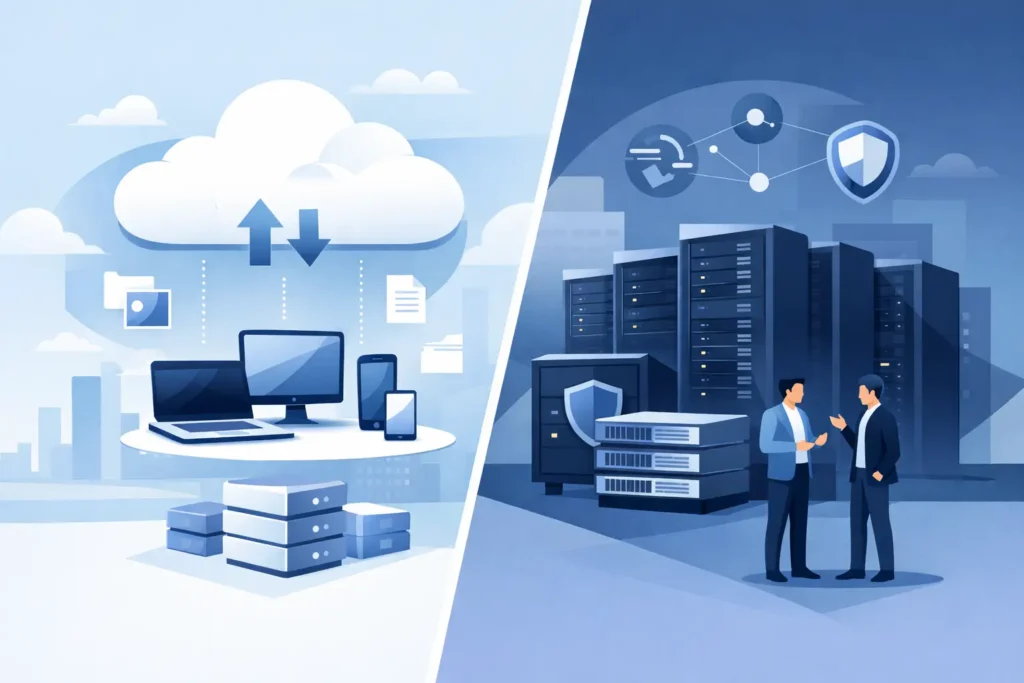
Cloud storage is hosted by a third-party provider and accessed over the internet or dedicated connectivity. Enterprise storage usually refers to business-grade storage infrastructure deployed within the organization’s environment, such as NAS, SAN, or hybrid storage systems managed by internal IT or a technology partner.
The core difference is control versus convenience. Cloud storage reduces the burden of owning and maintaining hardware. Enterprise storage gives the business more direct control over performance, architecture, data handling, and security policies.
That distinction matters because not all business workloads behave the same way. A finance team archiving records, a design team working with large media files, and an ERP platform supporting daily operations will place very different demands on storage.
Cost is more nuanced than it looks
Cloud storage is often attractive because the upfront cost is low. There is no large capital purchase for storage hardware, rack space, power, or lifecycle replacement. For growing businesses, that can make adoption easier and budgeting more predictable in the short term.
However, cloud costs are operational and ongoing. As data grows, monthly fees grow with it. Charges may also apply for data retrieval, higher performance tiers, backup retention, redundancy levels, and outbound transfer. A cloud environment that looked economical at the start can become expensive if the business stores large volumes of active data or moves data frequently.
Enterprise storage usually requires higher initial investment, including hardware, deployment, configuration, and support. But over time, for certain workloads, the total cost can be more favorable. If the organization has steady storage needs, predictable growth, and high local access requirements, owning the infrastructure may produce better long-term value.
This is where planning matters. A business should compare not just purchase price versus subscription fees, but also support costs, refresh cycles, backup strategy, disaster recovery needs, and the operational impact of downtime.
Performance depends on workload and access patterns
One of the biggest advantages of enterprise storage is performance consistency. Systems deployed on-site or in a controlled private environment can deliver low-latency access for critical applications, databases, virtualization platforms, and heavy file workloads. That is especially important when teams rely on constant access to large files or transaction-heavy systems.
Cloud storage performance depends heavily on connectivity. With strong bandwidth and stable network design, cloud platforms can perform well for many business needs. But performance can still be affected by internet congestion, latency, provider architecture, and the distance between users and the storage platform.
If employees mainly work on office documents, shared files, backups, or remote collaboration, cloud storage can be an efficient fit. If the environment includes video editing, engineering data, large virtual machines, or real-time business systems, enterprise storage often offers stronger and more predictable performance.
The key question is not which option is faster in general. It is which one is better aligned with the way your teams and applications actually use data.
Security is shared in the cloud and direct on-premises
Security is often presented as a simple debate, but it rarely is. Reputable cloud providers invest heavily in infrastructure security, redundancy, and data center protection. For many businesses, that level of platform security is stronger than what they could build alone.
But cloud security operates on a shared responsibility model. The provider secures the platform, while the customer remains responsible for access controls, identity management, retention settings, encryption policies, endpoint security, and user behavior. Misconfigurations, weak permissions, and poor account protection still create serious risk.
Enterprise storage gives businesses more direct control over how systems are segmented, monitored, and secured. That can be a major advantage for organizations with strict internal policies, specialized compliance demands, or limited tolerance for third-party dependency. It also allows tighter integration with local cybersecurity tools, backup workflows, and network controls.
That said, direct control also means direct responsibility. If systems are not patched, monitored, backed up, and maintained correctly, enterprise storage can become just as vulnerable as any poorly managed cloud deployment.
Compliance and data governance often drive the decision
For regulated industries or organizations handling sensitive client, legal, financial, or operational data, storage is not only an IT issue. It is a governance issue.
Cloud storage can support compliance, but businesses need to verify where data is stored, how it is replicated, what audit capabilities are available, and whether retention and deletion policies meet industry requirements. Some organizations are comfortable with that model. Others need stricter data residency, custody, or audit control than public cloud platforms can practically provide.
Enterprise storage is often preferred when the organization needs tighter governance over data location, access logging, lifecycle management, and recovery processes. This is common in environments where compliance checks, internal controls, or customer contracts require more visibility and authority over infrastructure.
For many SMBs and growing enterprises, the mistake is assuming compliance is only a software setting. In reality, storage architecture can directly affect audit readiness and risk exposure.
Scalability favors cloud, but not in every situation
Cloud storage is built for elasticity. Businesses can usually increase capacity quickly without waiting for new hardware procurement or installation. That flexibility is valuable for organizations with unpredictable growth, seasonal demand, multi-site operations, or rapidly changing project needs.
Enterprise storage can also scale, but it typically requires more planning. Capacity expansions may involve hardware upgrades, additional shelves, licensing, and deployment work. That process is more deliberate, but it also gives the business tighter control over how growth is engineered.
If speed of expansion is the top priority, cloud storage has a clear advantage. If the priority is planned growth with controlled performance and architecture standards, enterprise storage may be the better fit.
Reliability is about more than where the data sits
Cloud providers offer strong redundancy, but access still depends on network availability and provider uptime. If a location loses connectivity, cloud-stored files and services may become difficult or impossible to reach.
Enterprise storage can reduce that dependency by keeping critical data local and immediately available inside the business environment. For operationally sensitive sites such as warehouses, offices, clinics, or production facilities, that can make a real difference.
The better question is not which model is more reliable in theory. It is which model supports your recovery objectives. Businesses should define acceptable downtime, data loss tolerance, backup frequency, and restoration speed before choosing a platform.
How does cloud storage compare to enterprise storage for growing businesses?
For smaller businesses without dedicated IT resources, cloud storage is often the fastest path to organized, accessible, and protected data. It reduces infrastructure overhead and supports remote access well. If the workload is standard, budgets are tight, and internal management capacity is limited, cloud can be the practical choice.
For growing businesses with critical systems, performance-sensitive workloads, heavier compliance needs, or a requirement for tighter operational control, enterprise storage becomes more compelling. It offers stronger customization, predictable local access, and better alignment with infrastructure planning.
In many cases, the strongest option is hybrid. Active workloads, line-of-business systems, and high-performance data can stay on enterprise storage, while cloud is used for backup, replication, archive, or cross-site access. This balances control with flexibility and helps businesses avoid overcommitting to one model too early.
That is often where an experienced technology partner adds value. The right design does not start with a product. It starts with your users, applications, risk profile, and continuity requirements.
The right choice depends on business priorities
If your priority is low upfront cost, easy scalability, and reduced hardware management, cloud storage may be the stronger fit. If your priority is control, performance, governance, and infrastructure-level customization, enterprise storage may be the better investment.
Neither option is automatically superior. Storage works best when it matches the way the business operates, not when it follows a trend.
A good storage decision should make daily operations easier, reduce risk, and support growth without forcing expensive changes later. That usually starts by asking a practical question: what data can you afford to access slowly, lose temporarily, or hand off to someone else to manage?